Direct answer:
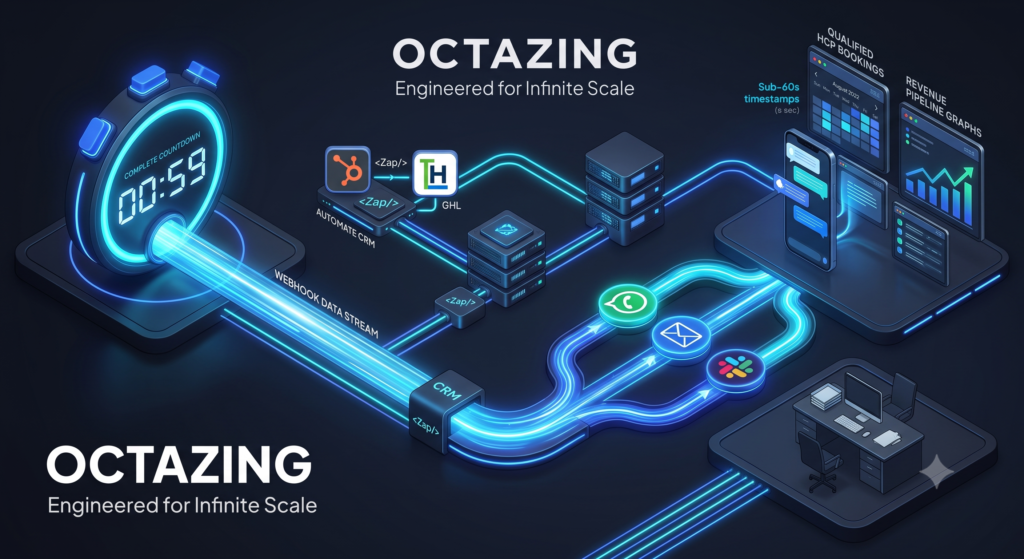
A practical first-touch stack listens for a form (or chat) webhook, normalizes the lead once, then fans out an acknowledgment to the buyer and a high-signal alert to the team on Slack (or Teams), email, and optionally WhatsApp—within about a minute. The goal is not more tools; it is one reliable path: event → validate → route → notify → log.
What you are building
When someone submits a high-intent form, three things should happen quickly:
- You acknowledge them on a channel they expect (email and/or WhatsApp).
- The right owner is alerted where the team already works (Slack/Teams + optional SMS/WhatsApp).
- The CRM (or lead store) is updated so the conversation is not invisible later.
“Under a minute” is an operations target for detection-to-notification, not a claim that a human finishes qualification in sixty seconds.
Reference architecture
Form / chat / booking provider
        ↓  webhook (HTTPS POST)
Automation layer (e.g. n8n, Make, or native CRM automation)
        ↓  validate + enrich + score/route
   ┌────┴────┬──────────────┐
   ↓         ↓              ↓
Buyer ack   Team alert    CRM / sheet / DB
(email/WA)  (Slack/email)  (owner + fields)
Design rule: the webhook is the source of truth for “a lead happened.” Polling inboxes or CSV exports is a fallback, not the primary path.
Step 1 — Make the webhook trustworthy
What the payload should include
At minimum:
- Name, email, phone (as collected)
- Source / page URL
- UTM parameters when present
- Interest or topic
- Timestamp
- Unique submission ID
Hardening checklist
- Verify signatures or shared secrets when the provider supports them
- Reject incomplete required fields server-side
- Rate-limit by IP or token where possible
- Mark honeypot failures without notifying sales
- Idempotency: ignore duplicate submission IDs
Spam that triggers Slack every 10 seconds will train your team to ignore alerts—the opposite of first-touch automation.
Step 2 — Normalize once, then fan out
Create a single internal object before any message is sent:
| Field | Purpose |
|---|---|
lead_id | Deduplication and CRM key |
owner | Routing result |
priority | SLA band (A/B/C) |
channel_preference | Email vs WhatsApp if known |
message_context | Short summary for humans |
utm_* / first_touch | Attribution fields |
Every downstream step (WhatsApp, email, Slack, CRM) should read this object—not re-parse the raw webhook differently each time.
Step 3 — Buyer acknowledgment (email and WhatsApp)
Email acknowledgment
Keep it short:
- Confirm you received the request
- Set an expectation (“within 15 minutes during business hours”)
- Avoid a hard sell in the first automated line
- Include a human-looking from-name and a real reply-to path
WhatsApp acknowledgment (when appropriate)
Use WhatsApp only if:
- The user provided a number and expects that channel, and
- You comply with WhatsApp Business / template rules in your region
Automated WhatsApp is powerful for speed and weak when it feels like unsolicited spam. Prefer session or template messages that match provider policies.
Principle: automation owns acknowledgment; humans own diagnosis.
Step 4 — Team alerts on Slack (or Teams) and email
Slack / Teams message that gets action
Include:
- Name and company (if known)
- Priority band
- Topic / form name
- Source or campaign
- Link to CRM record or admin submission
- One-click context (why this is an “A” lead)
Avoid dumping the entire payload. Noise kills speed.
Email alert
Use email as backup for owners who are offline in chat tools—not as the only channel if your team lives in Slack.
Optional WhatsApp / SMS to on-call owner
Reserve for A-band or after-hours on-call. Constant mobile pings create the same ignore pattern as noisy Slack channels.
Step 5 — Route before you notify the world
Fan-in to one owner (or a small pod), not “@channel” for every form.
Simple routing examples:
- Product interest → product queue
- Country / region → regional owner
- Existing customer flag → success team
- Default → round-robin
If nobody accepts within N minutes, escalate to a backup owner. Routing without escalation is how “under a minute” becomes “next morning.”
Step 6 — Log the outcome path
Write back:
- Alert sent timestamps
- Owner assigned
- Acknowledgment sent (yes/no, channel)
- Later: first human reply time
This is how you prove the stack works and where it fails (P90 spikes, one source always slow, one owner always missing SLA).
A minimal “happy path” timeline
| Time | Event |
|---|---|
| 0s | Form submitted; provider sends webhook |
| 0–5s | Automation validates and normalizes |
| 5–20s | Buyer ack queued (email / WhatsApp) |
| 5–20s | Owner resolved; Slack + CRM task created |
| < 60s | Team sees alert; buyer has confirmation |
| 1–15 min | Human first substantive reply (SLA by band) |
If your provider or automation queue is slow, fix infrastructure before rewriting copy.
Tooling notes (without locking you in)
You can implement this pattern with:
- Native CRM workflows (when webhooks and alerts are strong enough)
- n8n or similar middleware for multi-channel fan-out
- Form tools that support signed webhooks
- Slack incoming webhooks or official apps
- Email via transactional providers
- WhatsApp via official Business APIs / approved providers
The pattern matters more than the logo on each box. Swap tools; keep event → normalize → route → notify → log.
Common failure modes
| Failure | Symptom | Fix |
|---|---|---|
| Alerting everyone | No one owns the lead | Route, then notify owner + backup |
| Ack with no SLA language | Buyer assumes neglect | Set expectations in the first message |
| CRM write after alerts | Team works blind | Write CRM first or in parallel with alert |
| No deduping | Double pings for one person | Key on submission ID / email+time window |
| Treating all forms equal | SDR fatigue | Priority bands and quiet hours rules |
FAQ
Do we need WhatsApp on day one?
No. Email ack + Slack alert + CRM owner is a solid v1. Add WhatsApp when your audience expects it and compliance is clear.
Is chat the same pattern?
Yes. Treat “chat escalated to human” or “lead form inside chat” as the webhook event; the fan-out stays the same.
Will this replace SDRs?
No. It removes detection delay and notification lag so SDRs spend time on conversations, not inbox archaeology.
Where does OCTAZING fit?
OCTAZING builds workflow-as-a-service around first-touch automation: reliable capture, multi-channel notification, qualification/routing, and closed-loop logging—so “under a minute” is a designed path, not a heroic exception.
Launch checklist
- Pick one high-intent form only.
- Confirm webhook delivery and secret validation.
- Build normalize + spam gate.
- Add email acknowledgment.
- Add Slack alert with owner and CRM link.
- Write owner + timestamps into CRM.
- Test ten real submissions; measure time-to-alert.
- Add backup escalation; then consider WhatsApp.
Key takeaway
First-touch automation is a plumbing problem first: a clean webhook, one normalized lead object, buyer acknowledgment, routed team alerts, and CRM truth. Do that well and “webhook to WhatsApp, email, and Slack in under a minute” becomes a default operating property—not a one-off zap.
To put these ideas into practice, explore first-touch automation and lead scoring and routing, or request a workflow review with Octazing.