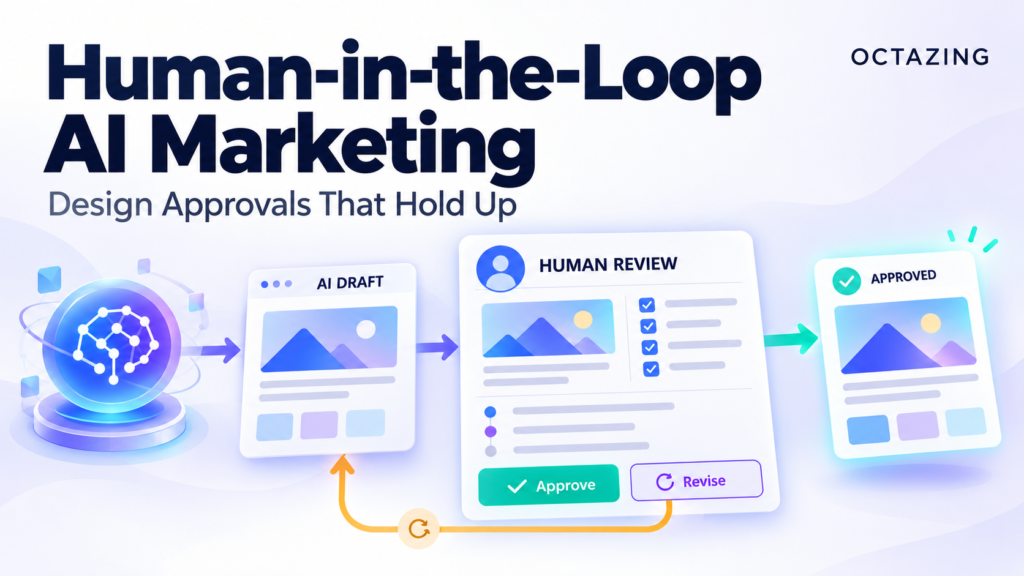
Human-in-the-loop AI marketing places a person at defined decision points before consequential actions run. An effective approval presents the exact proposed action, verifies who may approve it, and records whether that same action was executed. Build the review around what the system will do.
Use this approach alongside the agentic marketing automation framework when a workflow can send messages, change important CRM fields, or propose campaign decisions.
Choose which actions need review
Classify actions by their consequence, reversibility, and business context. During an initial pilot, an internal draft can remain a proposal while external communication requires approval. Changes to deal stages, commercial promises, and advertising budgets deserve separately defined controls.
| Proposed action | Suggested pilot treatment |
|---|---|
| Prepare an internal reporting summary | Save as a draft for review |
| Send a prospect a tailored reply | Approve the recipient and final message |
| Update a material CRM field | Approve the field change and target record |
| Change an advertising budget | Use a separate authorised change process |
These are suggested starting rules, not a universal policy. Assign the decision to the person who owns the affected process.
Show a concrete proposal
A reviewer needs the action type, destination, relevant evidence, and the exact change. For a message, display the recipient, channel, and complete text. For a CRM update, display the record, field, previous value, proposed value, and reason.
A summary such as “AI wants to help this lead” does not contain enough information to approve execution. Make the approval packet readable without requiring the reviewer to inspect raw model logs.
Bind approval to the action that runs
Store a proposal identifier and a version of the action payload. The approved version must match the execution request. If a message is edited after review or a CRM value changes before the write, request a new approval or return the case to the owner.
Set an expiry appropriate to the workflow. A proposal based on yesterday’s account state may no longer be relevant. Recheck the destination record and permissions when execution resumes.
The CRM data contract guide explains how to keep writable fields and authoritative values explicit.
Implement the gate outside the prompt
n8n’s human-in-the-loop tool documentation describes pausing selected agent tool calls for approval or denial. This provides a control at the tool boundary. Your implementation still needs the correct reviewer, readable context, and clear handling of the decision.
A prompt instruction to “ask first” does not replace an enforced execution gate. Give the runtime a rule that prevents the relevant action from running without a valid approval.
Handle denial and silence explicitly
When a reviewer denies an action, record the reason and cancel that proposal. An agent should not work around the decision by changing the recipient or choosing another tool that produces the same outcome.
If the reviewer does not respond, apply the workflow’s timeout policy. For example, a proposed lead reply may return to a manual queue after expiry. Silence should follow the defined exception path rather than becoming implied approval.
Also test duplicate approval callbacks. A repeated button click should not send the same message twice. Persist proposal and execution states so you can distinguish approved, executed, denied, expired, and failed actions.
Measure the approval process
Track time waiting for review, rejection reasons, changes requested, expired proposals, and duplicate execution attempts. Inspect whether reviewers have enough information and whether the same avoidable mistakes repeatedly reach them.
Review time belongs in the workflow’s cost. Reducing it requires better proposals and clearer policies, while preserving the checks that protect the outcome. Add approval scenarios to your marketing AI testing set.
Frequently asked questions
Does every model output need approval?
No. Define review around the consequence of the action. A validated internal classification may follow a different policy from an external message.
Can approval happen in Slack or email?
Supported tools can route approval requests through different channels. Verify the options in your installed version and ensure the response identifies an authorised reviewer.
Make approvals part of the workflow design. Request a review from Octazing with the actions your AI system may take and the people accountable for them.