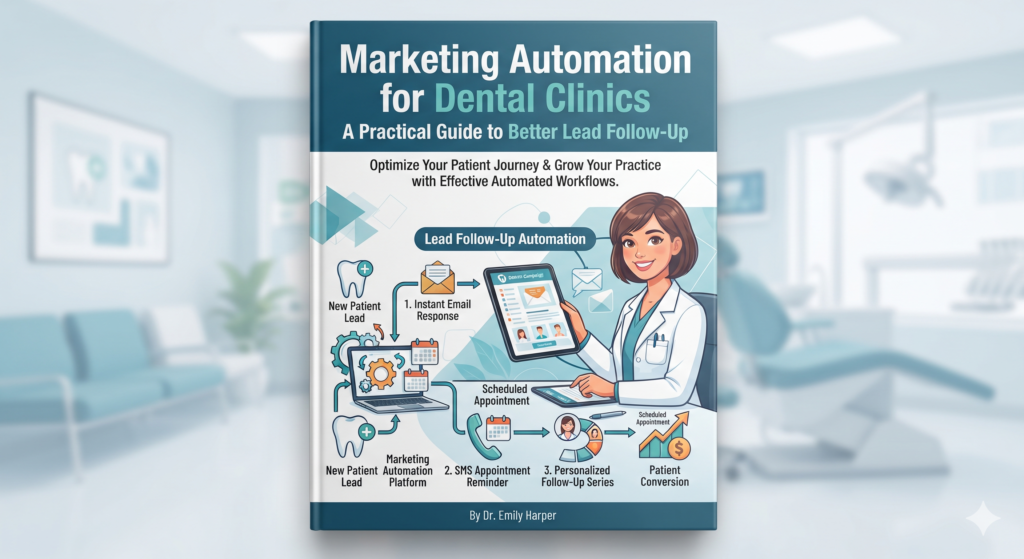
A dental practice can receive enquiries from Google Ads, local search, referral pages, calls and website forms. The challenge is making sure each enquiry reaches the right person, gets a timely response and is connected to the marketing activity that generated it.
Marketing automation for dental clinics helps coordinate those steps. It can capture and route enquiries, remind a team member to follow up, keep records consistent and make reporting easier to interpret. It supports the front desk and marketing team; it does not replace personal conversations with prospective patients.
What marketing automation means for a dental clinic
Marketing automation is a set of connected rules and workflows that move information between forms, call tracking, a CRM and reporting tools. For a dental practice, the goal is a dependable process from first enquiry to a recorded outcome.
A useful system can help a clinic answer practical questions: Was this enquiry answered? Was an appointment requested or scheduled? Which campaign or location did it relate to? Does someone need to follow up?
Automation should handle repetitive coordination. Staff should remain responsible for conversations, clinical questions, appointment decisions and any sensitive communication.
Where dental clinics commonly lose track of enquiries
- Web forms are not assigned: A form arrives in an inbox without a clear owner or follow-up task.
- Calls and forms sit in separate systems: The team sees activity in different places and may not have one consistent record.
- Follow-up depends on memory: Busy periods make it harder to see which enquiries still need a response.
- Location information is unclear: A multi-location practice may need to route an enquiry to the correct office.
- Marketing reports stop at the lead: Campaigns are compared by form fills or calls, while later outcomes are recorded elsewhere or not connected.
These issues are often process and data problems. Adding more software will not fix them unless the clinic first agrees on ownership, definitions and follow-up steps.
Five building blocks for dental lead automation
1. Capture enquiries consistently
List the enquiry sources that matter: website forms, call tracking, campaign landing pages and other approved channels. Decide which fields are needed to route and manage a request, such as the requested location and enquiry type. Collect only information the team needs, and keep sensitive health details out of general marketing workflows.
2. Route each enquiry to an owner
Set clear routing rules. For example, an enquiry can be assigned by clinic location, service interest or business hours. Define a backup owner for cases where the first person is unavailable. The aim is to make responsibility visible, not to send the same lead to everyone.
3. Create useful follow-up reminders
When a new enquiry is recorded, the workflow can create a task or alert for the assigned team member. If the record has no outcome after the clinic’s chosen interval, it can prompt a review. Set timing based on the practice’s staffing and operating process rather than assuming one response target fits every clinic.
4. Keep CRM records understandable
Agree on a small set of lifecycle statuses, such as new, contacted, appointment scheduled, unable to reach and closed. Define what each status means and who updates it. Consistent statuses help the team avoid duplicate follow-up and make reports more useful.
5. Connect marketing activity to outcomes
Use consistent campaign naming and source information to connect advertising and website activity with CRM outcomes. Check that call, form and appointment events are defined clearly and counted once. A reporting setup should make it possible to compare channels while showing where data is incomplete.
Three practical automation workflows
Website enquiry to assigned follow-up
- A website form creates or updates a CRM record.
- The workflow checks the selected location and assigns the record to the right team.
- The assigned person receives a task with the information needed to respond.
- The CRM records the follow-up outcome using the clinic’s agreed statuses.
Call enquiry to a review task
Where the clinic uses call tracking, call activity can be matched to a lead record when the available data allows. If a call is missed or its outcome is unknown, the workflow can create a review task. Staff can then confirm whether follow-up is needed. Avoid treating every call as a qualified lead or a scheduled appointment.
Unresolved enquiry to a team reminder
If an enquiry remains in a new or contacted status beyond a defined interval, the system can remind its owner or escalate it to a team lead. The reminder should stop when the record reaches an agreed outcome, so staff do not receive repeated alerts for completed work.
How to make dental marketing reports more useful
Marketing analytics should connect activity to outcomes the clinic can verify. Start with a short measurement plan that defines each event, its source and the system where the final outcome is recorded.
- Enquiries by channel and clinic location
- Share of enquiries with an assigned owner
- Follow-up outcomes by source
- Appointments scheduled, using the clinic’s own confirmed records
- Records with missing or inconsistent source information
These measures help a practice identify operational gaps and ask better questions about its marketing. They do not guarantee a particular number of appointments or revenue. Review reporting definitions with the people who manage the CRM, call tracking and advertising accounts before using the data to make budget decisions.
A sensible rollout plan
Start with one location or one enquiry source. Map the current journey, agree on ownership and status definitions, then build the smallest workflow that addresses a real gap. Test it with sample records and confirm that routing, reminders and reporting behave as expected. After staff have used it, review exceptions and expand to other locations or channels.
Before connecting systems, review data access, retention, messaging permissions and vendor settings with the appropriate internal or professional advisers. Keep automation limited to approved operational information and make it clear to staff how to correct a record or stop a workflow when something goes wrong.
How Octazing can help
Octazing helps businesses improve marketing workflows, lead management, CRM automation, reporting and marketing analytics. For a dental clinic, that can mean mapping enquiry handoffs, clarifying campaign and CRM data, and building workflows that make ownership and follow-up easier to manage.
The right starting point depends on the clinic’s existing tools and process. A workflow review can identify where enquiries get delayed, where records become inconsistent and which reporting changes would help the team make better decisions.
Explore Octazing’s services or contact the team to discuss your current lead and reporting workflow.
Frequently asked questions
What is dental marketing automation?
It is the use of connected workflows to coordinate marketing enquiries, CRM updates, follow-up tasks and reporting for a dental practice. It should support staff-led communication and clinic operations.
Can automation book appointments for a dental clinic?
Automation can support appointment workflows when the clinic’s systems allow it, but the exact process depends on the scheduling setup and the clinic’s policies. A team member should remain able to review exceptions and correct records.
Does a small dental practice need a CRM?
Not every practice needs the same software. The first step is to understand how enquiries are currently captured, assigned and followed up. A CRM may help when the existing process cannot give the team a reliable shared view.
How should a dental clinic measure lead quality?
Agree on observable outcomes that the team can record consistently, such as whether an enquiry was reached, whether an appointment was scheduled and whether the record has a valid source. Keep the definitions consistent across locations and campaigns.
How long does it take to set up lead automation?
Timing depends on the number of locations, tools and workflow changes involved. A focused pilot with one source or location is a practical way to test the process before expanding it.